
Know the job · Planning
Know the job before you plan the work.
The agent reads your project in Procore, tells you what's happening that matters for safety, suggests the toolbox talks and JHAs to prepare, drafts them for that job, and keeps every talk, JHA and JSA in the project's own library.
Read-only, from your own Procore
1 · It reads the job
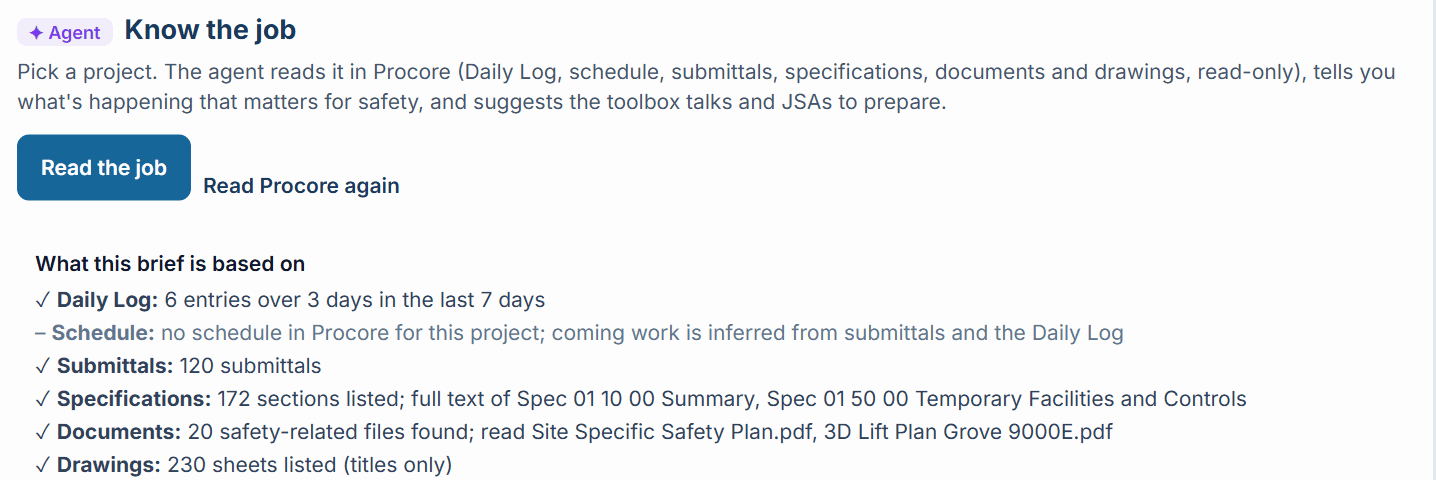
The agent reads your project first.
Pick a project in Planning. The agent reads it in your Procore, read-only, and starts with what it read: so many Daily Log entries, the submittals, the spec sections it read in full, the safety plan and lift plan. When something is missing, like a project with no schedule in Procore, it says so and tells you what it used instead. Never an error, always a note.
2 · What's happening
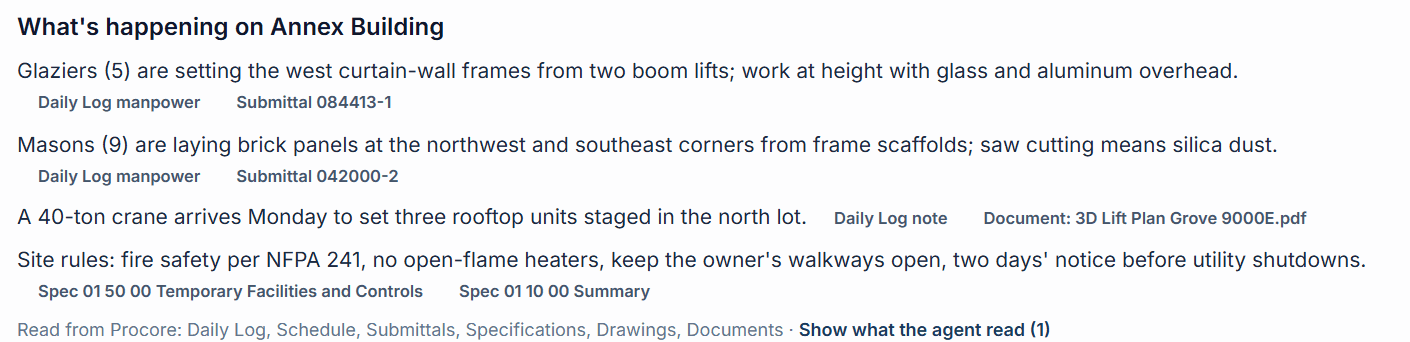
What matters for safety on this job.
Glaziers on boom lifts at the curtain wall. Masons cutting brick on two corners. A crane arriving Monday. The owner's rules from the specifications. Every line shows the Procore entries it came from.
3 · What to prepare
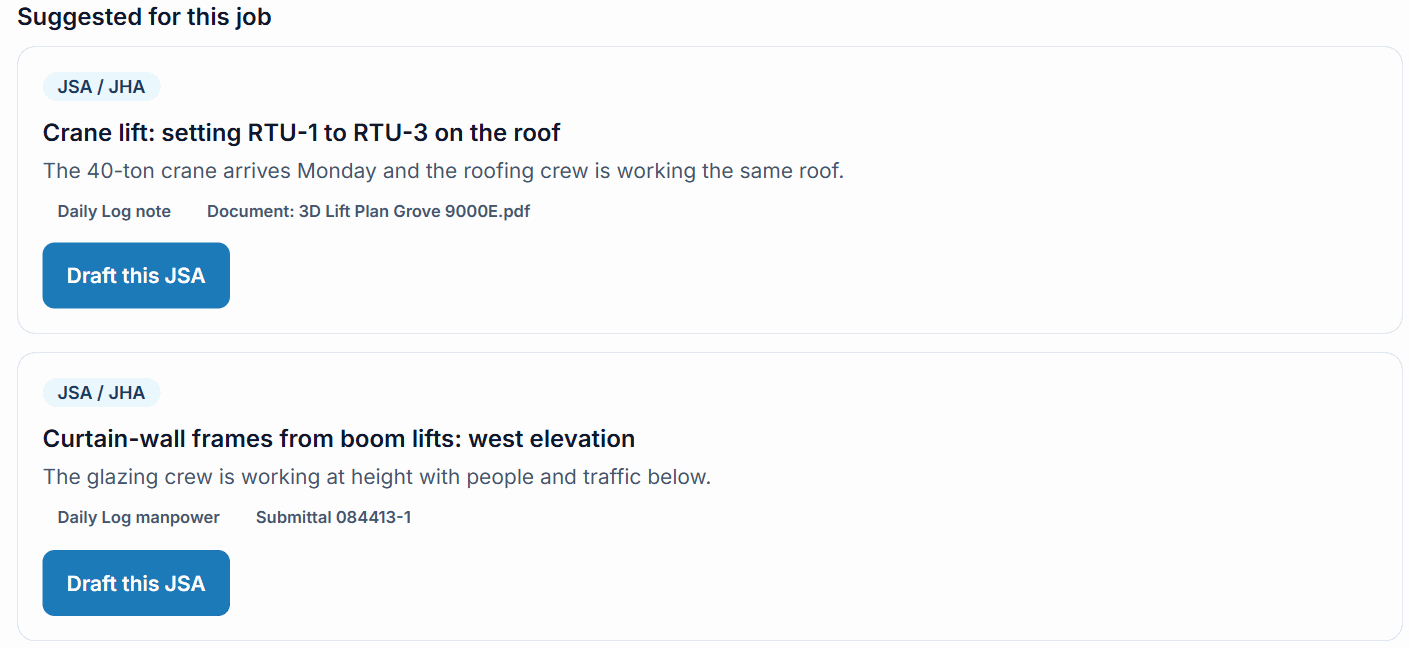
The talks and JHAs to prepare now.
Most urgent first, each with why. If your library already has one that fits, it says so. One click drafts it for this job, citing the project's own specifications and safety plan next to OSHA and your EHS manual. The stricter rule wins, and your safety lead reviews and approves it.
4 · The project library
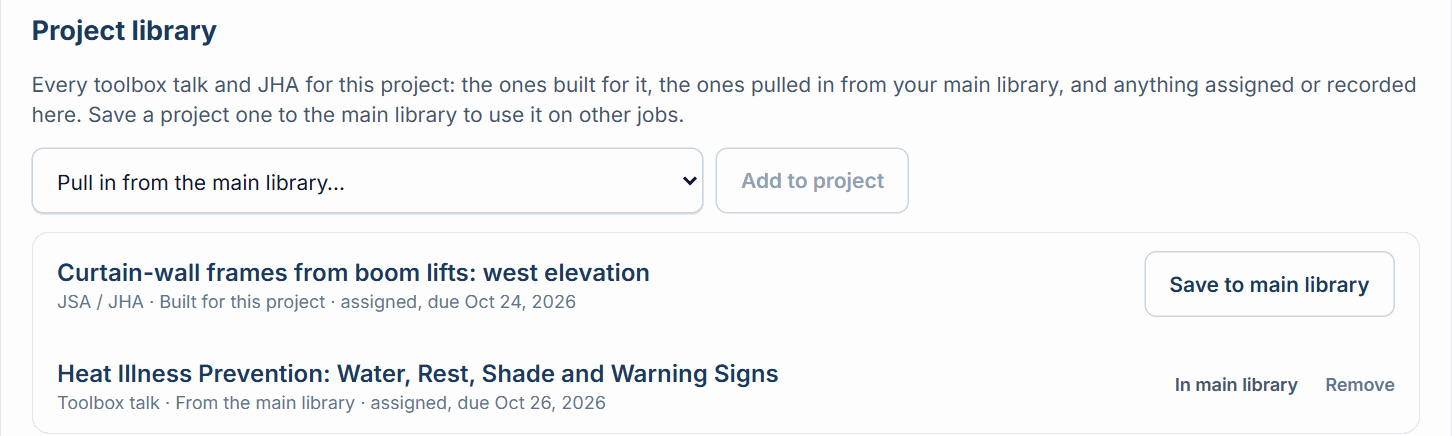
Every talk, JHA and JSA for the project, in one place.
The ones built for this job, the ones pulled in from your main library, and everything assigned or recorded on the project, with how many times crews recorded it. When one is worth reusing, save it to your main library with one click.
5 · Site photos
The agent reviews the photos your team uploads.
Two boom lifts at the curtain wall, with no exclusion zone below. The agent flags it from the project's Procore Photos; your safety lead confirms it. It goes to the superintendent as an observation and into the Daily Log as a Safety Violation, with a date to fix it, and the superintendent reassigns it to the subcontractor responsible.
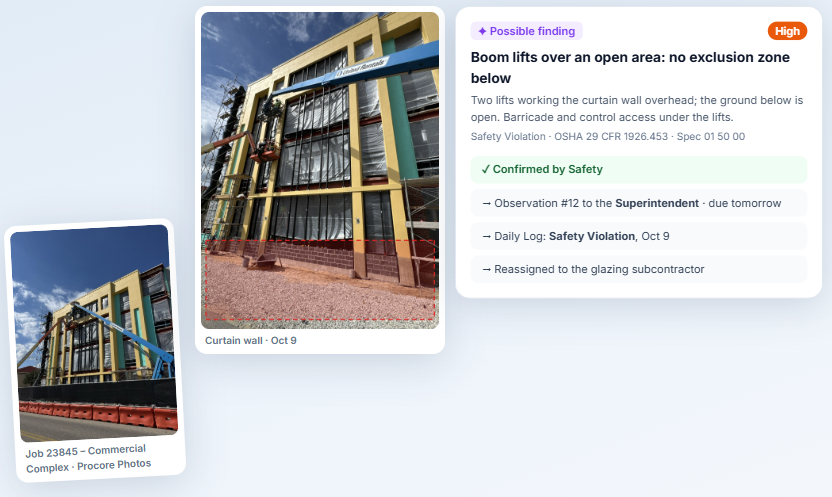
Screens from LaunchPad Safety with sample data; site photos from Job 23845 – Commercial Complex.
Assign it to the project
With a date. The superintendent sees it at the top of the project on the phone; the crew signs; you see it's done.
The weekly brief
Every Monday morning to the project team the agent built from the Procore Directory: PM, superintendent, executives and Safety.
Arrival alerts · coming soon
Within a quarter mile of the job, the phone alerts the superintendent and the agent briefs them on the site before the crew goes in.
Questions
Know the job FAQ
+What does the agent read, and does it change anything in Procore?
It reads the project's recent Daily Log (work, notes, manpower, equipment and deliveries; never accident entries), its schedule, submittals, specification sections (the full text of the Division 01 site rules and of the trade section a document is about), safety-related files in Documents (such as the site-specific safety plan, lift plans and site plans) and the drawing list. It's read-only: nothing is changed in those tools. Talks and JHAs your crews record still go to the project's Procore Inspections, as always.
+What if a project doesn't use the schedule or Documents?
The brief notes it and works from what's there. "What this brief is based on" lists every source and what was read, so the whole team knows what the brief was built from.
+What doesn't it read?
Incident, injury and medical records, contracts, insurance, bonds, pay applications, budgets and personnel files. Injury records never go to the AI.
+Who gets the weekly brief?
The agent builds each project's list from its Procore roles and Directory: the project manager and assistant, superintendent and assistant, project coordinators, your executives on the project, and your Safety team. Safety adds or removes people. The Monday email stays off until Safety turns it on for the project.
+What happens to a JHA built for one project?
It stays in that project's library, and the crew sees it on that project on the phone. Click Save to main library to use it on your other jobs.
+Is it included in our plan?
Know the job comes with the Safety library: toolbox talks with Pro I and Pro II, and the JSA / JHA library with Pro II (and the free trial).
Plan every project's safety work from what's really happening.
Know the job comes with the Safety library on Pro I and Pro II.