
Company rules: your own safety rules the agent always follows
Write your company's own standing safety rules, often stricter than OSHA, which the agent follows and cites everywhere.
Company rules are your company's own safety positions, often stricter than OSHA, such as "fascia and soffit work at height is done from scaffolding or a lift, never from a ladder". The agent follows them in every toolbox talk, JSA and inspection template, and in Ask Safety and photo review, and cites them as Company rule CR-….
Before you start
- The Administrator, Safety Personnel or a Project Administrator can add, edit and retire rules. Everyone can see them.
Add a rule
- Open Safety library, then the Company rules tab.
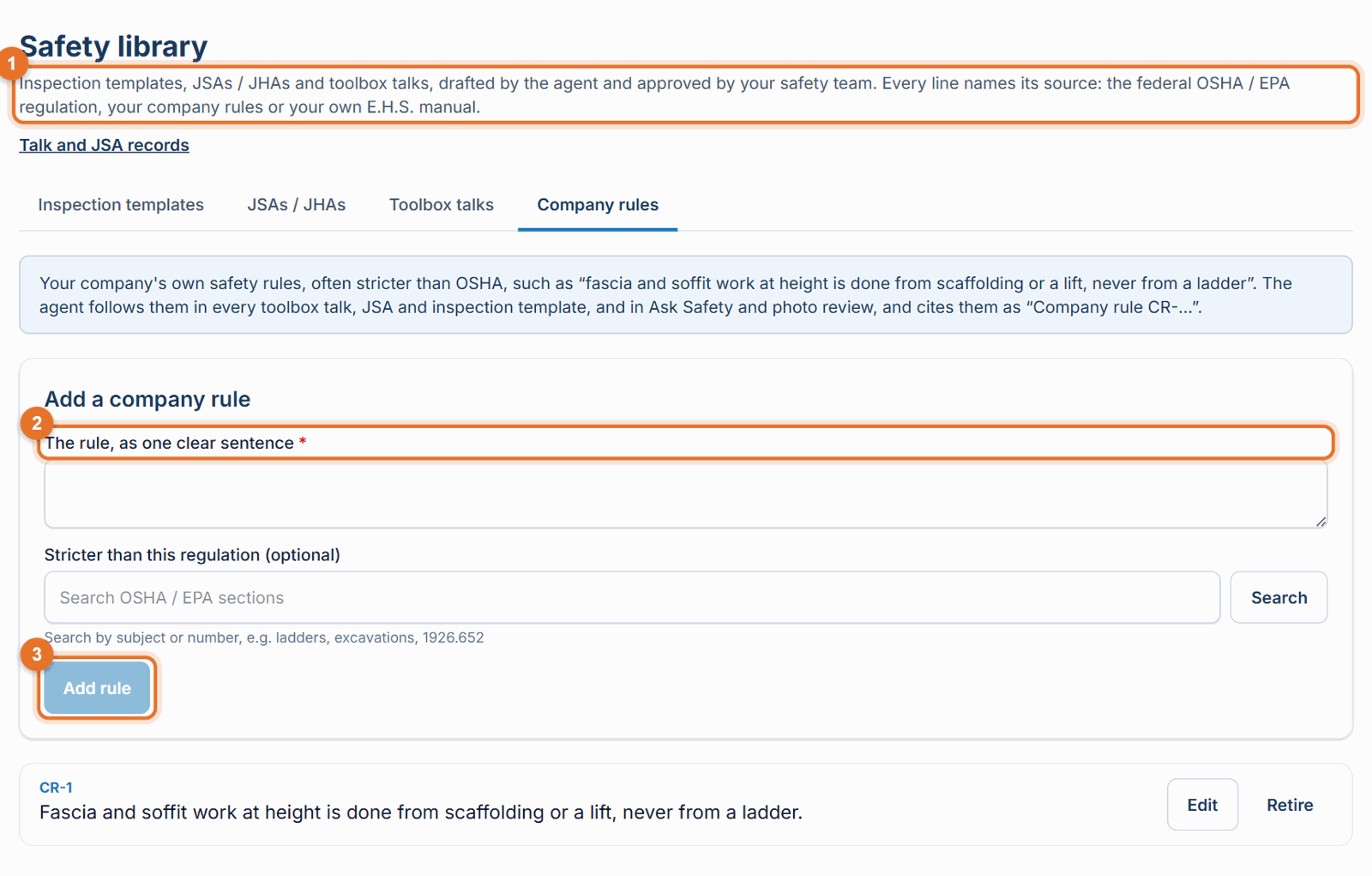
- Under Add a company rule, write the rule, as one clear sentence.
- Optional: link the regulation it is stricter than. Type a subject or number in Search OSHA / EPA sections (for example "ladders" or "1926.652"), click Search, and pick the section.
- Click Add rule. It gets a code like CR-12.
Save a rule from the agent's suggestion
When you send comments to the agent on a library document (for example "we never do fascia work from ladders"), the agent may suggest making it a standing rule: Make this a company rule for every future talk, JSA and template? Click Save as company rule to add it.
Edit or retire a rule
- Click Edit, change it, then Save rule.
- Click Retire to stop the agent using it. Retired rules stay on the list, greyed out.
Good to know
- Where a company rule is stricter than the regulation or your manual, the company rule wins, and the agent says so plainly (for example "OSHA allows this, but our company rule is …").
- Rules apply to new drafts and answers. To bring an existing document in line, open it and send the agent a comment.
- The Safety library menu only appears when the library is switched on for your company.
Still stuck? Call or text (888) 207-2330 or email support@launch-pad-core.com.