
Restart your subscription
Bring an ended or archived company back, with all its records, by restarting the subscription.
If your subscription has ended, your account is kept for 90 days (30 days after a free trial). Restarting before then brings the same company back with everything as it was: library, records, signatures, rules, team and history. (If your access ended before December 1, 2026, it's kept until 12 months after it ended.)
Steps
- Sign in as the Administrator on the website (safety.launch-pad-core.com). Instead of the app you see your company's page with Restart your subscription.
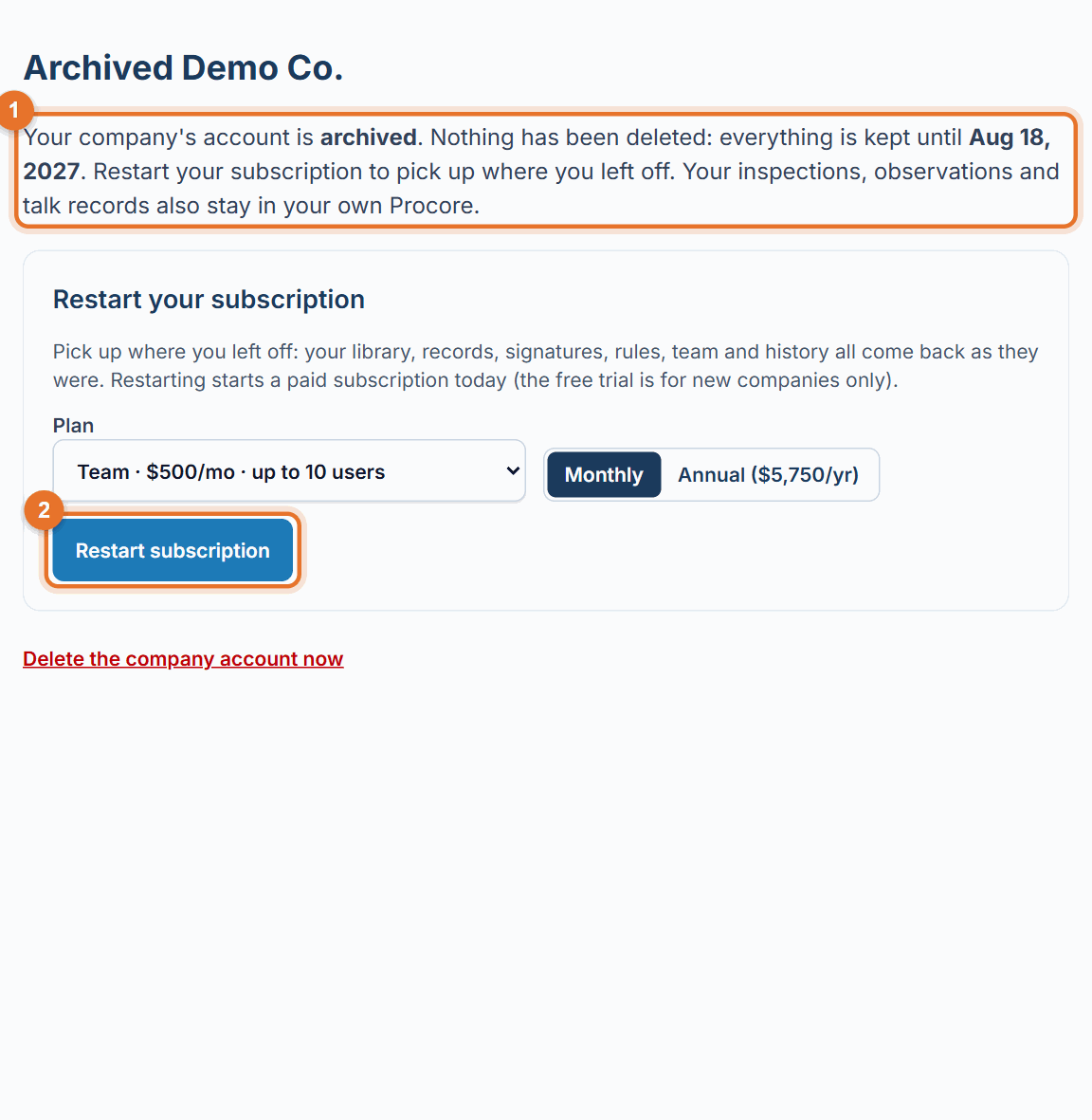
- Pick the plan, and Monthly or Annual.
- Click Restart subscription and add your card on Stripe's secure page.
- Once it's paid, sign in again. Your team can sign in as before.
Before you start
- Only an Administrator can restart. Other people can't sign in while the account has ended.
- Restarting starts a paid subscription today. The free trial is for new companies only.
If something goes wrong
- "This account was set up by hand. Email us and we'll restart it for you.": call (888) 207-2330 or email support@launch-pad-core.com.
- Your Procore connection stopped working: if the app was removed from your Procore company, install it again and reconnect in Settings → Connect Procore.
- The retrieval period has passed: the account may have been deleted, and a deleted account can't be restarted. Your records in Procore are not affected, and the PDFs in any download you kept are yours to use. Call (888) 207-2330 to set up a new company.
Good to know
- The phone app can't restart an account; use the website.
Still stuck? Call or text (888) 207-2330 or email support@launch-pad-core.com.