
Weather on inspections
How LaunchPad Safety records the weather on each inspection, and what is needed for it to work.
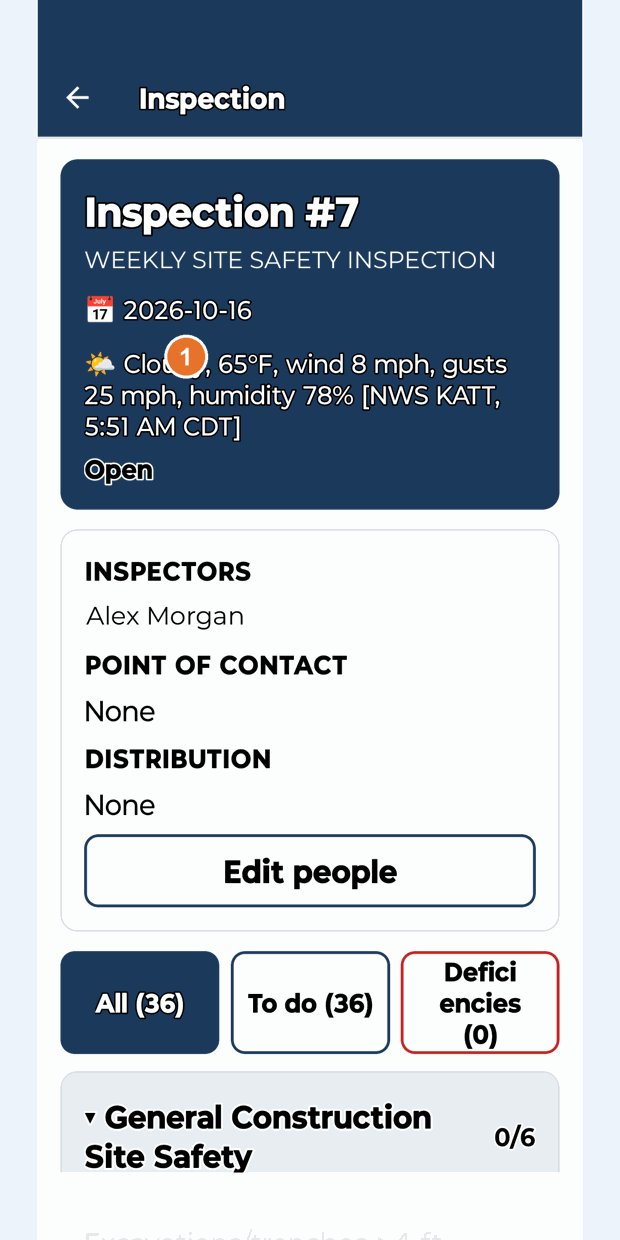
When you start an inspection, LaunchPad Safety can record the weather at the job site in the inspection header, for example "Cloudy, 65°F, wind 8 mph, gusts 25 mph, humidity 78% [NWS KATT, 5:51 AM CDT]". It comes from the nearest U.S. National Weather Service station.
What is needed
- The project's address in Procore, with its map location. The weather is looked up from the project's coordinates.
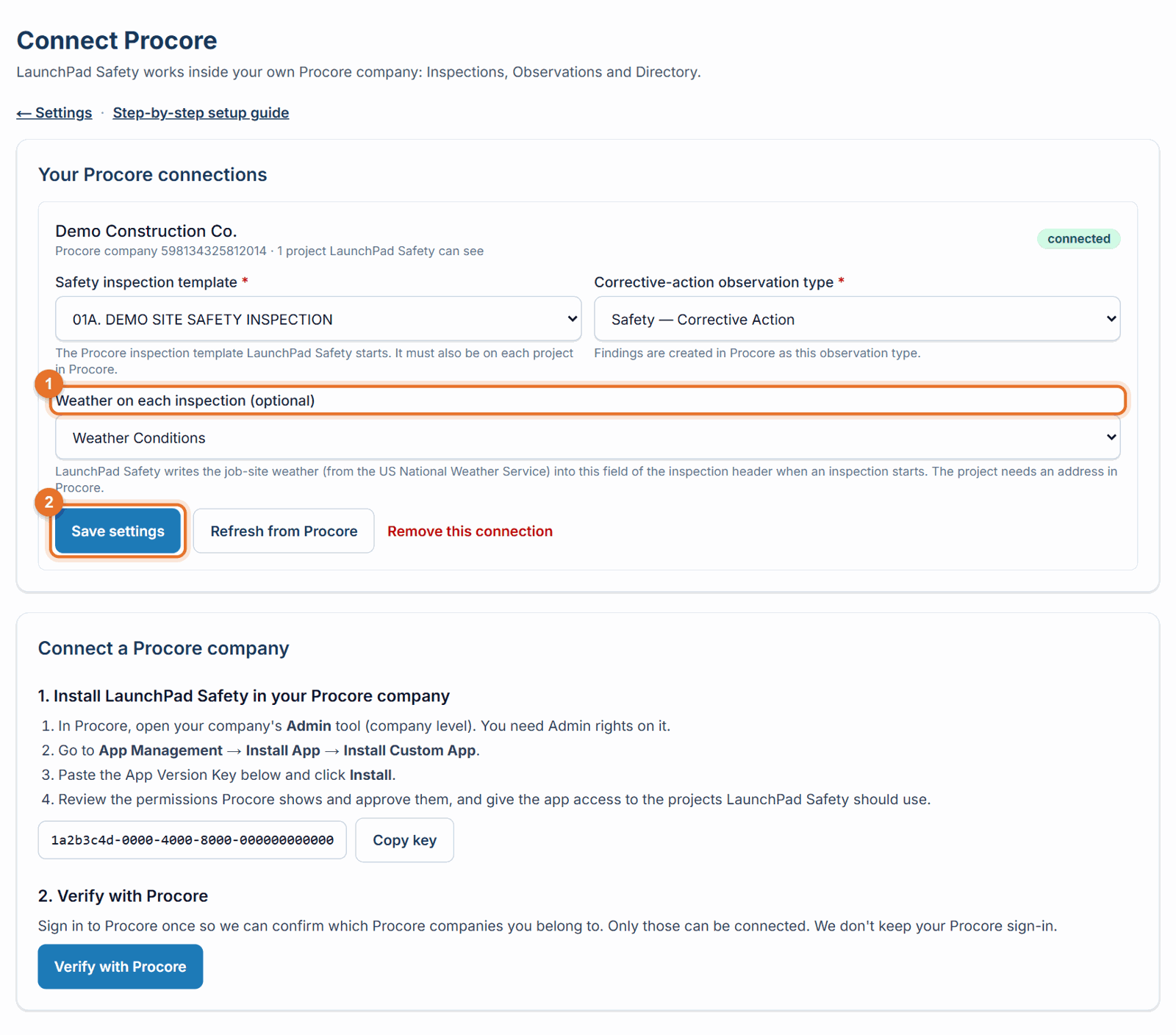
- A text custom field for the weather in your inspection header in Procore (for example "Weather Conditions"), chosen in LaunchPad Safety (below).
Turn it on (Administrator)
- In Procore, make sure your company has a text custom field for the weather and that it is shown on your inspection template's header.
- In LaunchPad Safety open Settings → Connect Procore and settings.
- Under your company, pick the field in Weather on each inspection (optional). The list shows your Procore company's text custom fields by name.
- Click Save settings. Inspections started from now on record the weather.
To stop recording it, choose Don't record the weather and save. Each Procore connection has its own setting.
- A U.S. job site (the National Weather Service covers the United States).
Where you see it
- Phone: at the top of the inspection (🌤).
- Website: the Weather box on the inspection.
- In Procore, in the inspection's header.
If something goes wrong
- "Weather not recorded" / "Not recorded": the project has no map location in Procore, no weather field is chosen under Connect Procore, the chosen field isn't on the template's header, or no nearby station reported in the two hours around the start time. The inspection is never held up by the weather; everything else works.
- "Choose the weather field from your Procore company's custom fields": the field was removed in Procore; pick another one.
- The field you want isn't in the list: only active text custom fields are shown. Check the field in Procore, then click Refresh from Procore or reload the page.
Good to know
- The weather is recorded once, when the inspection is started. It is the nearest station's report closest to that time.
- Only the job site location is sent to the National Weather Service.
Still stuck? Call or text (888) 207-2330 or email support@launch-pad-core.com.