
Delete your sign-in or your company's account
Delete your own sign-in at any time, or, as the Administrator after the subscription ends, delete the whole company account.
There are two kinds of deletion: your own sign-in, and your whole company's account.
Delete your own sign-in
Anyone can do this, at any time. 1. Open Settings → Delete my account (website or phone app), or go to safety.launch-pad-core.com/delete-account. 2. Enter your password and click Delete my account.
What is deleted: your sign-in, name, title, phone number and your link to your Procore user, in every company you belong to. What is kept: safety records you created (inspections, findings, talk records, the audit trail). They are your company's records and show "Deleted user". - "You are the only Administrator of … Make another team member Administrator first": change someone else's role to Administrator on the Team page, then try again.
Delete your company's account (Administrator)
This is possible once your subscription has ended (cancel first under Manage billing). 1. Sign in as the Administrator. You see your company's page instead of the app. 2. Click Delete the company account now.
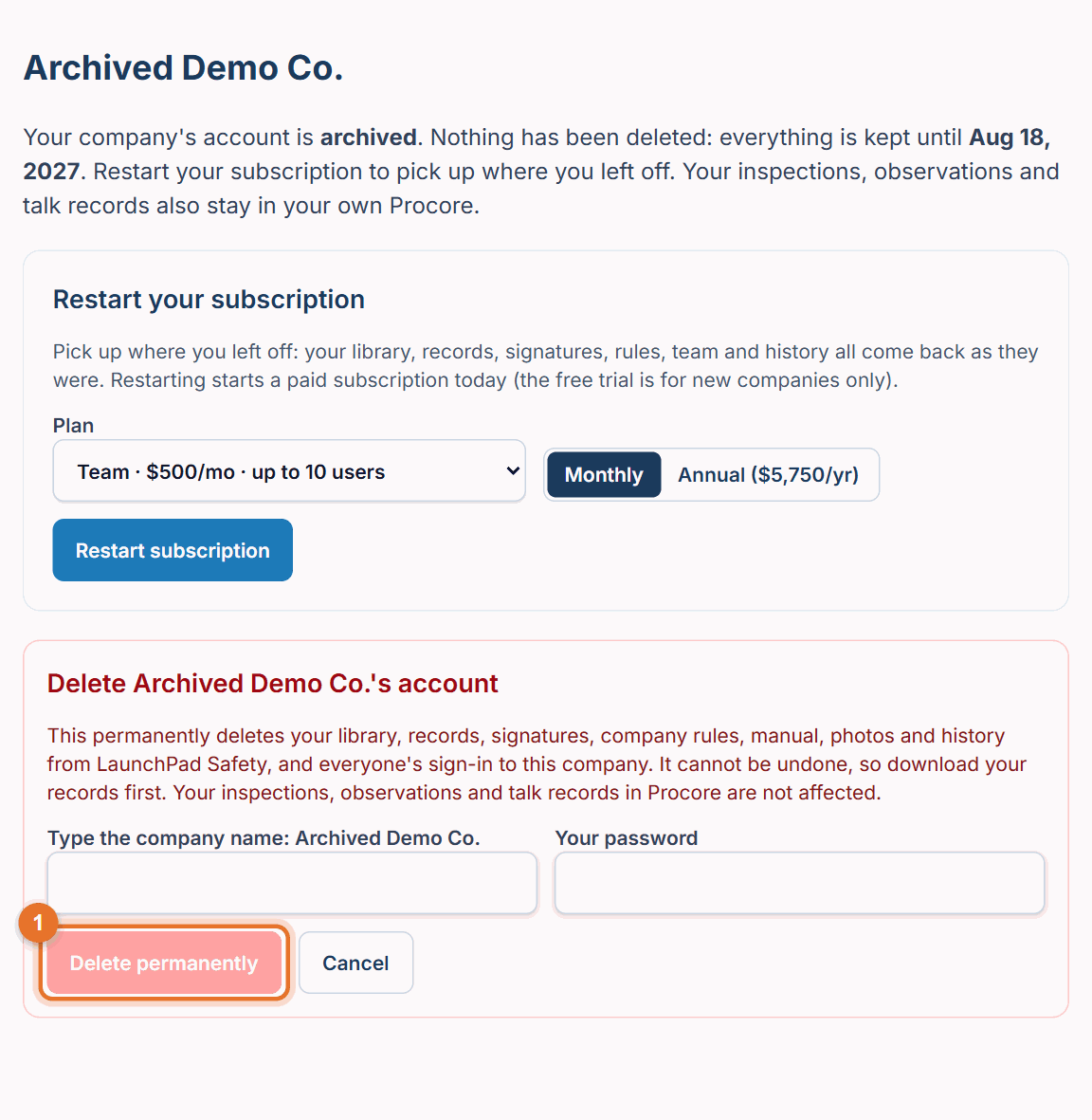
- Type the company name exactly as shown and your password, then click Delete permanently.
This permanently deletes the library, records, signatures, company rules, manual, photos and history from LaunchPad Safety, and everyone's sign-in to this company. It can't be undone, so download your records first (see Download your records). Your inspections, observations and talk records in Procore are not affected.
If something goes wrong
- "Your subscription is still active. To change plans or cancel, use Manage billing.": cancel first; you can delete once access has ended.
- "Type the company name exactly as shown to confirm": check spelling and spaces.
Good to know
- If you don't delete it, an ended account is deleted automatically 90 days after it ended (30 days after a free trial), after a warning email with the date.
- We keep only the minimum record that the company existed, its Terms acceptances, usage totals and the notices we sent. No safety records.