
People report: observations by company and the person assigned
See, for each company and person assigned corrective actions, how many they were given, how many still need correction, and how quickly they close them.
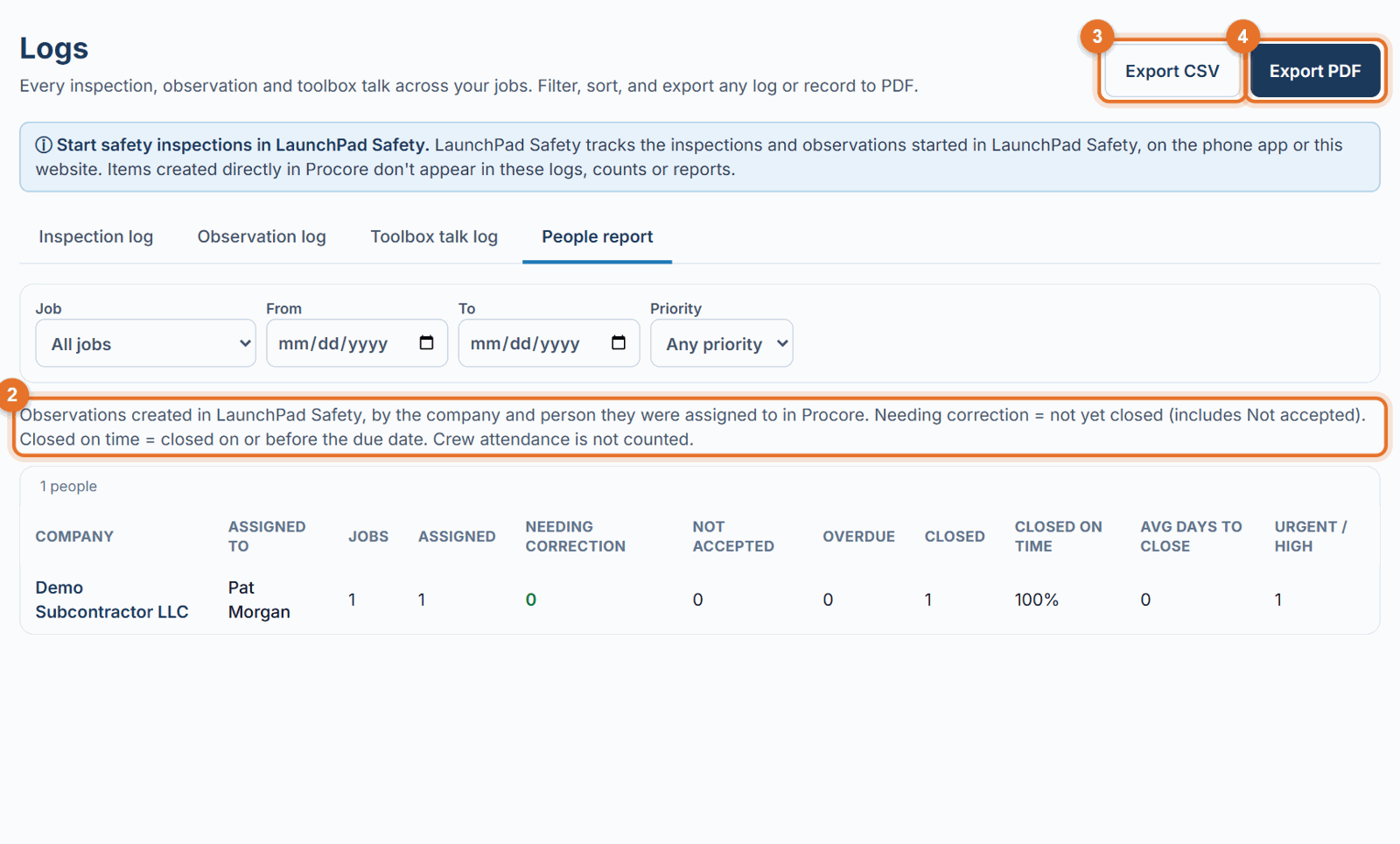
The People report shows how the people responsible for corrective actions are doing: grouped by their company, then by the person assigned in Procore. Use it to see who corrects issues quickly and who has items waiting. It is in Logs → People report.
Who can see it
The Administrator turns it on per person on the Team page (the People report checkbox): - Administrators always see it. - Safety Personnel, Project Administrators and Executives see it unless the Administrator turns it off. - Superintendents, Project Managers and Project Coordinators see it only if the Administrator turns it on. - Subcontractors never see it.
Open it
- Open Logs and click the People report tab.
- Filter by Job, From / To dates and Priority if you like.
The columns
- Company and Assigned to: the assignee's company in the Procore directory, then the person. People without a company are under "(No company)", and unassigned items under "(Unassigned)", at the end.
- Jobs: on how many projects they were assigned items.
- Assigned: corrective actions (observations) assigned to them.
- Needing correction: not closed yet, including Not accepted.
- Not accepted: currently marked Not accepted.
- Overdue: past the due date and not closed.
- Closed and Closed on time (closed on or before the due date).
- Avg days to close: from created to closed.
- Urgent / High: how many of their items were Urgent or High priority.
Export
- Export PDF: a landscape PDF grouped by company, with a short explanation of the columns.
- Export CSV: the same table for Excel.
Good to know
- Only corrective actions created in LaunchPad Safety count. Items made directly in Procore don't.
- Crew attendance at toolbox talks is not counted.
- "Not accepted" shows the current status. Procore doesn't keep a count of how many times an item was sent back.