
Connect your Procore company
Verify your Procore sign-in and connect your Procore company to LaunchPad Safety.
After the app is installed in Procore, you connect that Procore company to your LaunchPad Safety account. You sign in to Procore once so we can confirm which Procore companies you belong to; only those can be connected. We don't keep your Procore sign-in.
Before you start
- LaunchPad Safety is installed in the Procore company. See Install LaunchPad Safety in your Procore company.
- You are the LaunchPad Safety Administrator, and you have a Procore sign-in that belongs to that company.
Steps
- Open Settings → Connect Procore and settings.
- Click Verify with Procore (step 2 on the page). Procore opens. Sign in with your Procore account and allow access. Procore sends you back to LaunchPad Safety.
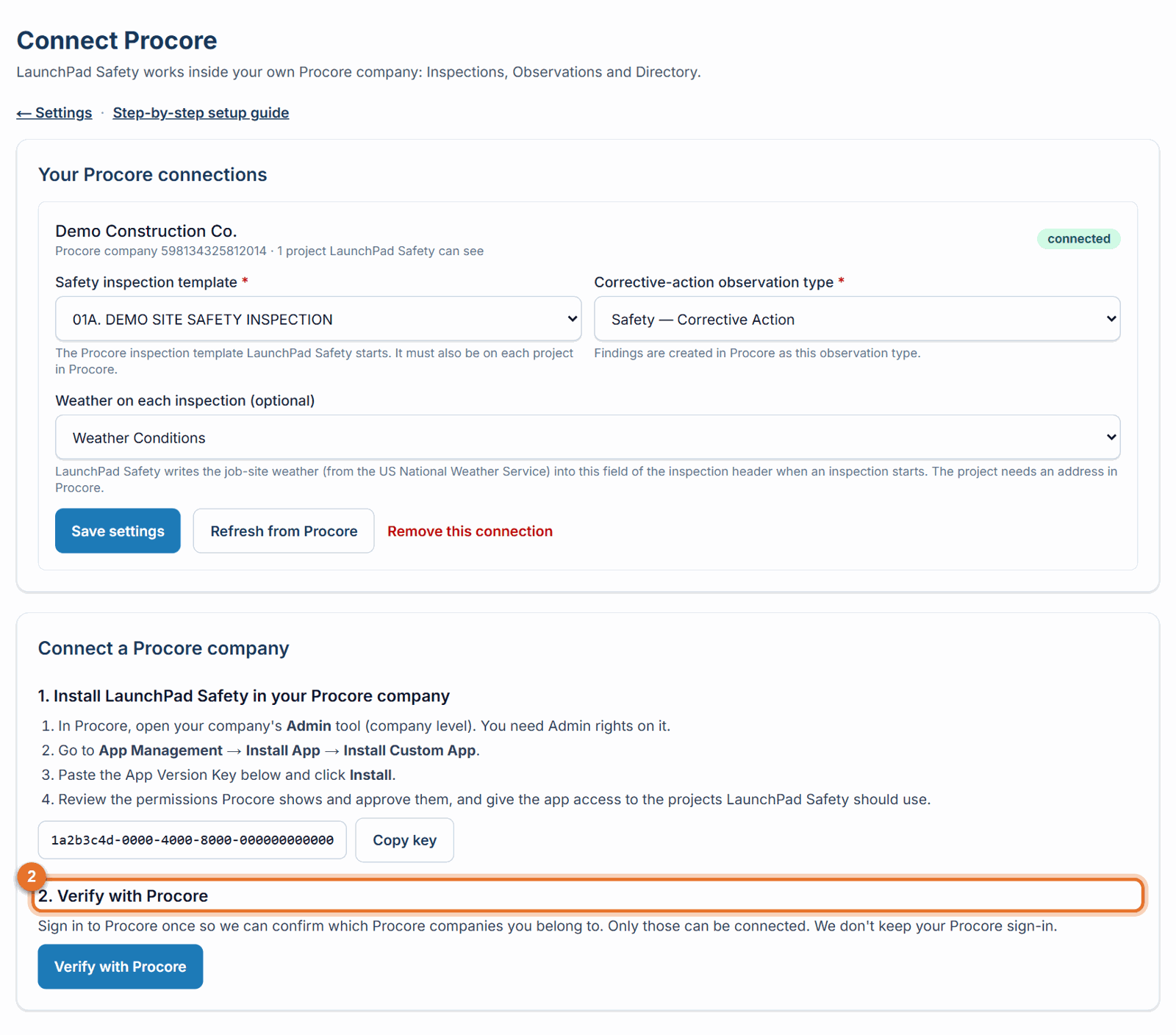
-
Choose the company. Under 3. Choose the company to connect, each of your Procore companies shows its state:
- Ready to connect: click Connect.
- LaunchPad Safety is not installed in this company yet (step 1): install it first, then click Installed it? Check again.
- Already connected: nothing to do.
- Connected to another LaunchPad Safety account: call (888) 207-2330 or email support@launch-pad-core.com. 4. Check the message. LaunchPad Safety reads your projects, observation types and hazard lists, and shows how many projects it found. The company now appears under Your Procore connections. 5. Choose the inspection template next. See Choose your inspection template and corrective-action type.
If something goes wrong
- "The Procore sign-in was cancelled." You closed or declined the Procore page. Click Verify with Procore again.
- "The Procore sign-in expired" / "is not valid" / "belongs to another sign-in." Click Verify with Procore again; each verification lasts a few minutes and belongs to the person who started it.
- "Your Procore sign-in doesn't belong to any active company." The Procore account you used isn't a member of an active company. Sign in with your work Procore account.
- More messages: Fix Procore connection problems.
Good to know
- You can connect more than one Procore company to the same LaunchPad Safety account. Repeat these steps for each.
- A Procore instance can belong to only one LaunchPad Safety account. Running several instances, or a Safety officer for each: see Several Procore instances.
Still stuck? Call or text (888) 207-2330 or email support@launch-pad-core.com.