
The Safety library: inspection templates, JSAs and toolbox talks
What the Safety library holds, which plan includes what, and how a document goes from the agent's draft to your crews.
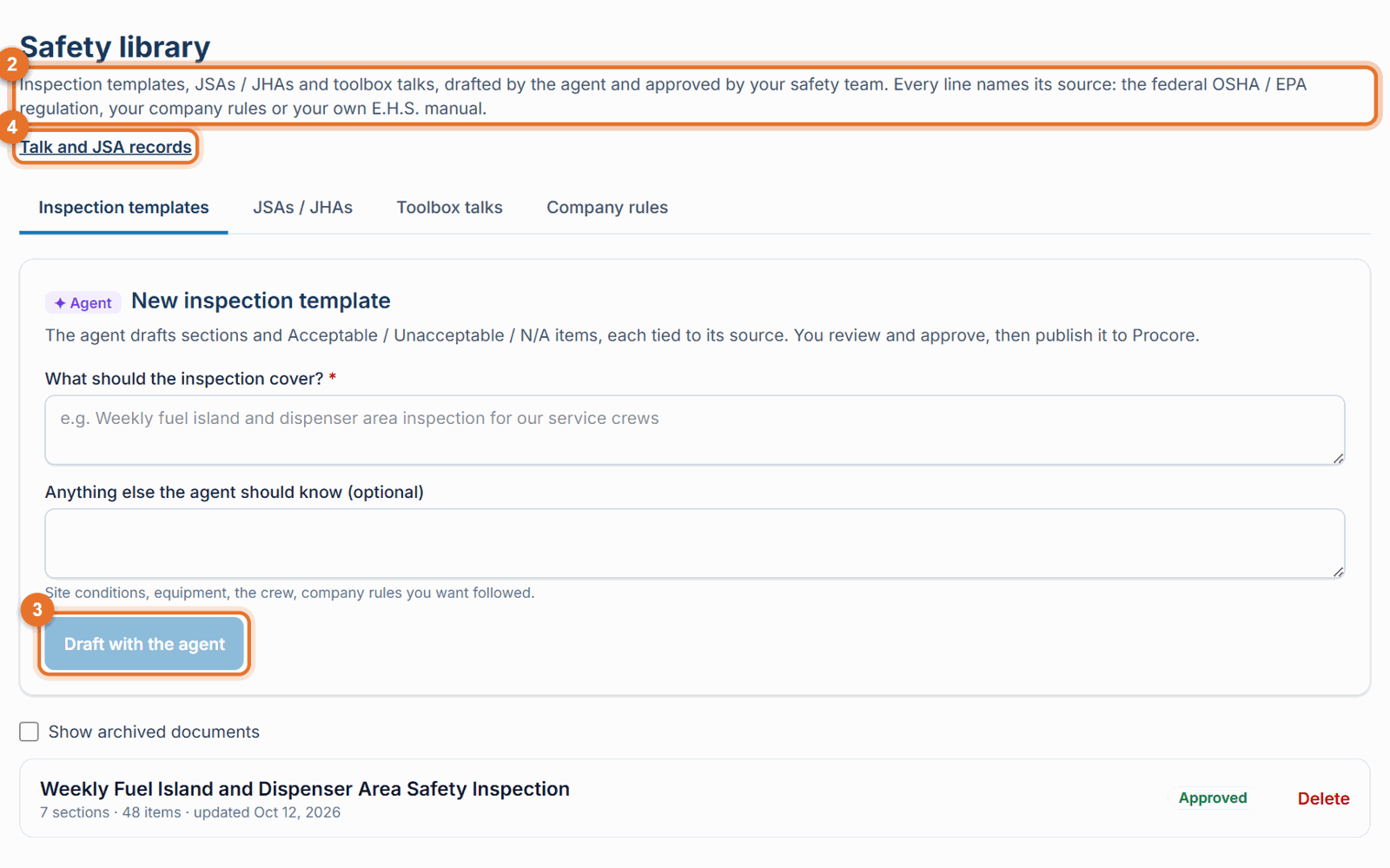
The Safety library is where your company keeps its own inspection templates, JSAs / JHAs and toolbox talks. The agent drafts them in about a minute; your safety team reviews, edits and approves them before anyone relies on them. Open it from Safety library in the menu on the website.
What's in it
- Inspection templates: site checklists answered Acceptable / Unacceptable / N/A. When approved, you can publish them to Procore as a company inspection template.
- JSAs / JHAs: a task broken into steps, with the hazards, a risk rating and controls for each step, plus PPE and permits.
- Toolbox talks: about 5 minutes, written in English and Spanish, with key points and check questions. The agent can lead the talk out loud.
- Company rules: your own standing rules (tab Company rules). The agent follows and cites them in every new draft.
Every line names its source: the federal OSHA / EPA regulation, your company rules, or your own E.H.S. manual once it is confirmed. Where your rule and the regulation differ, the stricter one is applied.
Which plan includes what
| Library | Included with |
|---|---|
| Inspection templates | Every plan |
| Toolbox talks | Pro I and Pro II |
| JSAs / JHAs | Pro II |
The free trial includes everything. A tab your plan doesn't include shows PRO I or PRO II and a note; your billing owner can upgrade any time at safety.launch-pad-core.com → Manage billing, and the change applies right away.
From draft to crew
- Draft. An Administrator, Safety Personnel or Project Administrator asks the agent for a draft, in the ✦ Agent Builder or the Safety library (Draft with the agent).
- Review and revise. Read it, edit any line yourself, or send comments to the agent (Revise a document).
- Approve. Click Approve. Only approved documents are shown to the rest of the team.
-
Use it.
- Templates: Publish to Procore (Approve and publish).
- Toolbox talks: lead and record the talk with the crew (Lead a toolbox talk).
- JSAs: review it with the crew and record it (JSA review).
Who can do what
- Administrator, Safety Personnel and Project Administrators: draft, edit, revise, approve, publish, archive, restore and delete.
- Superintendents, Project Managers and Project Coordinators: see the approved library, and lead and record talks and JSA reviews.
- Everyone else: sees the approved library.
Good to know
- Library documents are your company's own. Other companies never see them.
- Photos and videos keep an approved document approved. A text change is either Save and approve (stays approved, by you) or goes back to Draft; an agent revision goes back to Draft. See Approve and publish.
- Archived documents can be brought back: tick Show archived documents and click Restore.
- The phone app shows the approved Toolbox Talks & JSAs. Drafting and approving is done on the website.