
Revise a library document: your edits, comments for the agent, photos and videos
Change a template, JSA or talk yourself or with the agent, add photos and videos, undo a revision, and turn a comment into a company rule.
Open any document in Safety library to change it. You can edit lines yourself, or tell the agent what to change and let it rewrite the document with every line still cited. Administrators, Safety Personnel and Project Administrators can revise.
Edit it yourself
- Click Edit at the top of the document.
- Change the title or any line.
- Click Save changes (or Cancel). You'll see "Saved. Approve it again before use."
Send comments to the agent
- In ✦ Agent Comments for the agent, write what to add, change, stress or remove, for example: "Make the main message that we never install fascia from a ladder: we erect scaffolding or use a lift. Point to photo 1."
- Click Send to the agent. It takes about a minute ("The agent is rewriting…").
- Read What changed: the agent lists its changes in a few sentences. For a talk it rewrites both languages.
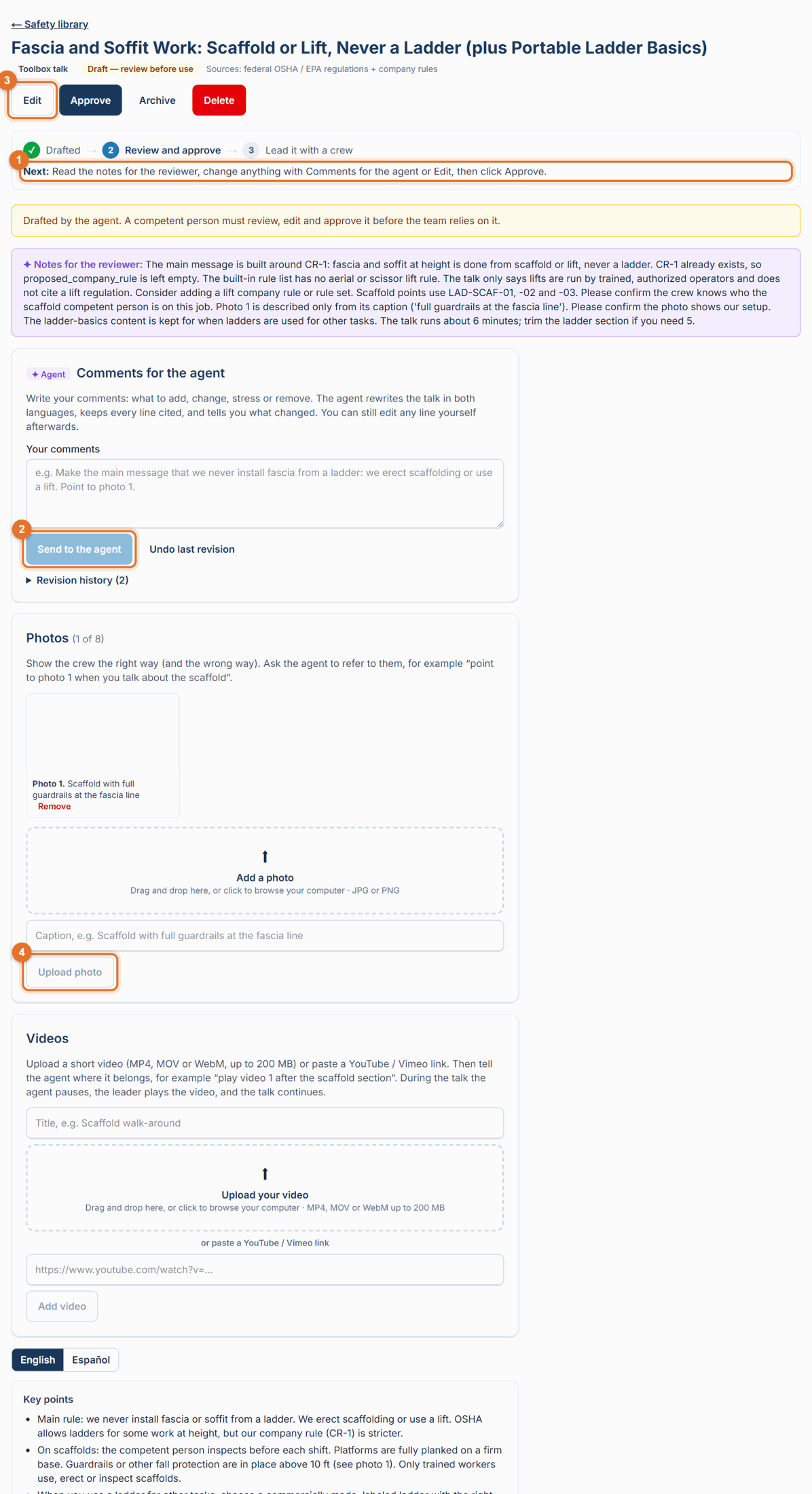
- Not right? Click Undo last revision to go back to the version before.
Every revision is kept under Revision history: when, who, your comment and what changed.
Save or cancel your own edits before sending comments; the agent works on the saved version.
Turn a comment into a company rule
If your comment states a standing position ("we never do fascia work from ladders"), the agent may suggest it as a rule: Make this a company rule for every future talk, JSA and template? Click Save as company rule and the agent will follow and cite it in every future draft. See Company rules.
Add photos
- In Photos, add a JPG or PNG and a caption (for example "Scaffold with full guardrails at the fascia line").
- Click Upload photo. Up to 8 photos per document.
- Tell the agent where to use them, for example "point to photo 1 when you talk about the scaffold". In a talk, the photo appears on screen at that moment.
Add videos
- In Videos, give a title, then upload a video (MP4, MOV or WebM, up to 200 MB) or paste a YouTube / Vimeo link.
- Click Add video. Up to 3 videos per document.
- Tell the agent where it belongs, for example "play video 1 after the scaffold section". During the talk the agent pauses, the leader plays the video, then presses Continue.
If something goes wrong
- "Tell the agent what to change": write a few words in Your comments first.
- "Nothing to undo": there is no earlier agent revision.
- "Videos can be up to 200 MB. Trim it or share a link instead.": shorten it or use a YouTube / Vimeo link.
Good to know
- Photos, videos and captions keep an approved document approved. An agent revision or Undo puts it back to Draft; approve it again before the team sees the new version. Editing the text yourself offers Save and approve so the team never loses the approved version.
- Photos and uploaded videos are private to your company; they are shown only to signed-in users.